Operations automation · Case study
Amazon PPC Campaign Macros
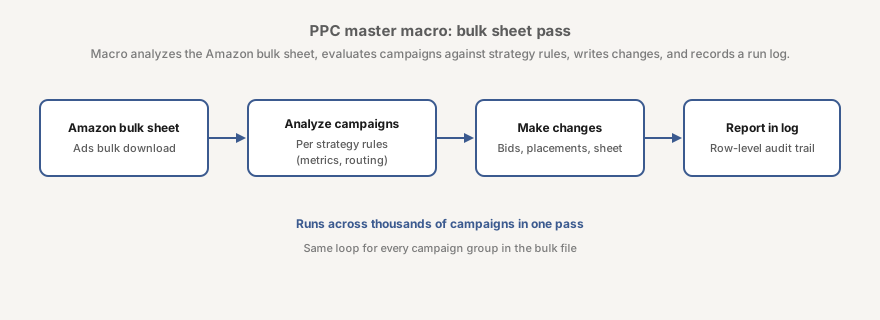
I built a VBA workflow that reads an Amazon Sponsored Products bulk sheet, applies campaign-specific bid rules, and records each change for review.
01 · Challenge
Optimise a bulk sheet without losing the audit trail
Amazon Ads bulk sheets place campaigns, placements, keywords, product targets and performance metrics in one workbook. I had to repeat the same checks across thousands of campaigns, then trace individual edits after preparing the next upload.
Different portfolio groups required separate breakeven ACOS values and bid rules. The workflow had to handle missing columns, blank bids and disabled entities without corrupting the source sheet. I needed a controlled optimisation pass with a record of each decision.
02 · Contribution
I encoded the operating rules in VBA
I wrote MasterPPCOptimizer in VBA. The macro finds required columns by header name, reports missing fields and groups the sheet rows by campaign. It then selects the portfolio route, reads spend, orders, conversion rate and ACOS, and adjusts eligible bids or placement percentages under configured guardrails.
Configuration switches let me freeze bid increases, enable dormant-keyword tests and control review highlights. The macro preserves the user’s filters, marks changed cells by type and restores Excel after a completed run or an error.
Validate
Find the bulk-sheet columns and stop on missing inputs.
Group
Collect entity rows under each campaign and read its portfolio.
Apply
Compare performance with the configured ACOS and bid rules.
Record
Write approved cell changes and append their reason codes.
03 · Outcome
A reviewable change set
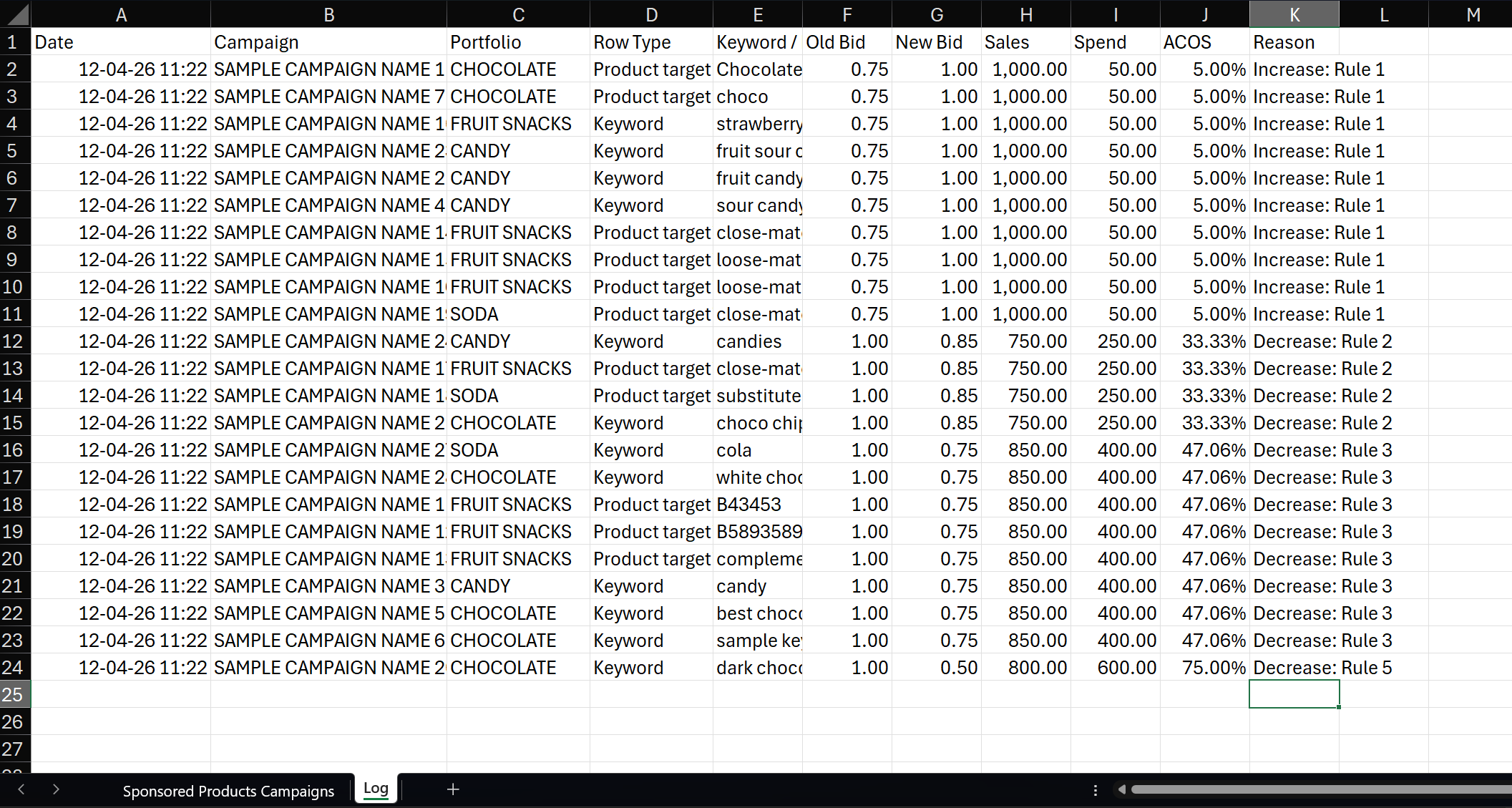
Version 27 turns a Sponsored Products export into a reviewable change set. The workbook records old and new bids, placement values, performance figures, breakeven ACOS and a reason for each change. An optional master workbook keeps a historical archive and the latest state for each keyword or product target.
The completed pass restores the original filters and sorts highlighted changes to the top of the sheet. I can inspect the prepared rows before uploading them to Amazon Ads, without editing each campaign in the console.
Reviewable decisions
Each changed row carries the source metrics, old value, new value and rule that triggered it.
Controlled failure
Named header checks stop unsuitable files, while the cleanup routine restores Excel after errors.