Campaign operations · Case study
Amazon Campaign Builder
I built a desktop tool that turns campaign settings, SKUs and targets into a structured Amazon Ads bulk-upload file.
01 · Challenge
Build repeatable campaigns without rebuilding each row
I had to rebuild the same Amazon Ads structure for each new product launch. A campaign could require a name, daily budget, bidding strategy, placement modifiers, advertised SKUs, targets, match types and bid values. Re-entering those settings across a product range created copy-and-paste errors and inconsistent names.
Single and multi-campaign launches required different structures. Keyword campaigns could place all terms together or create one campaign per term, while automatic and product-targeting campaigns needed their own inputs. I wanted one form that captured those choices and prepared the upload file.
02 · What I built
I put the launch decisions into one form
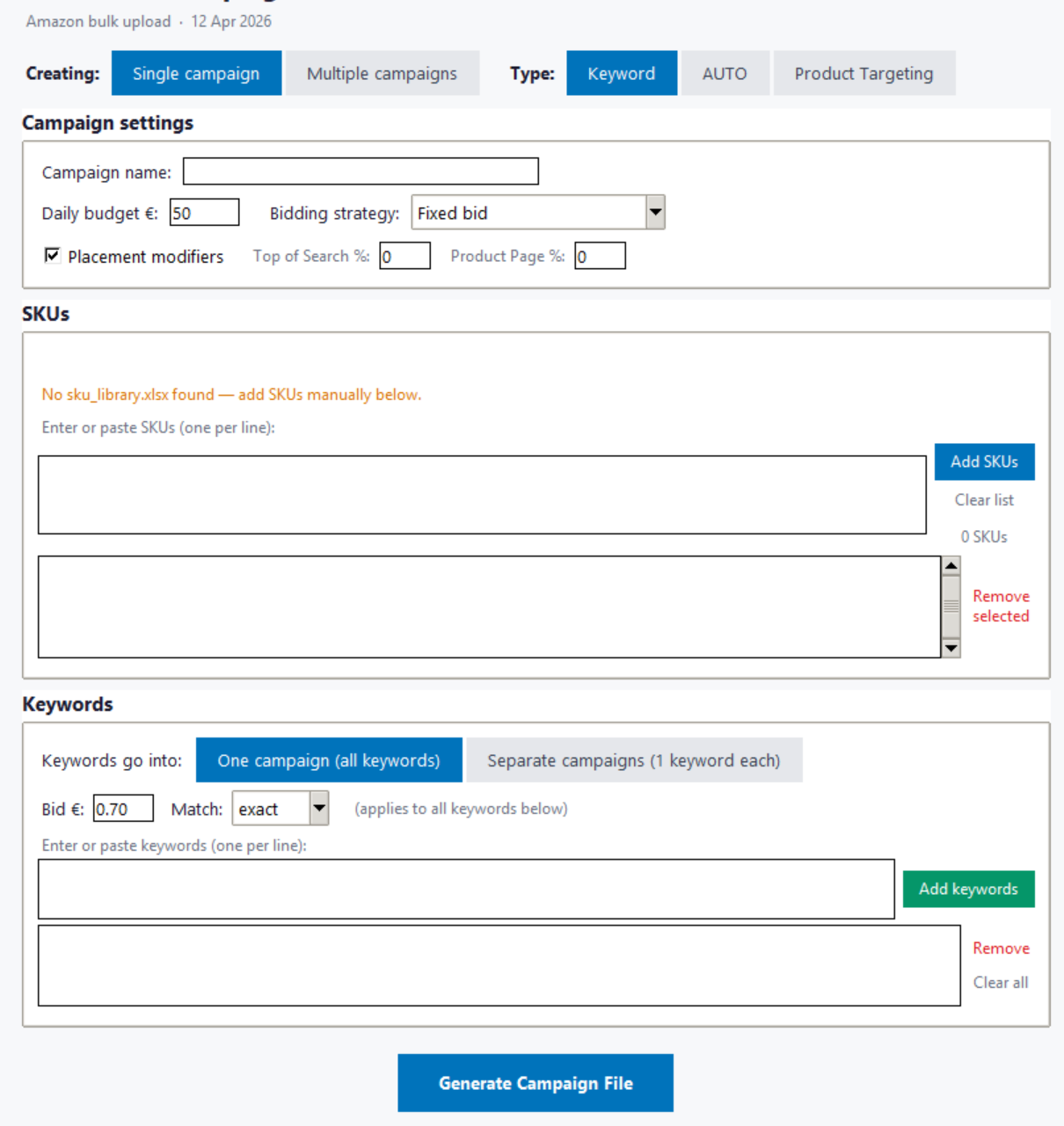
I designed a Python desktop interface around the decisions I make during campaign setup. The form switches between single and multiple campaigns and exposes controls for keyword, automatic or product targeting. It collects the campaign budget, bidding strategy, placement percentages, SKUs and target bids in one session.
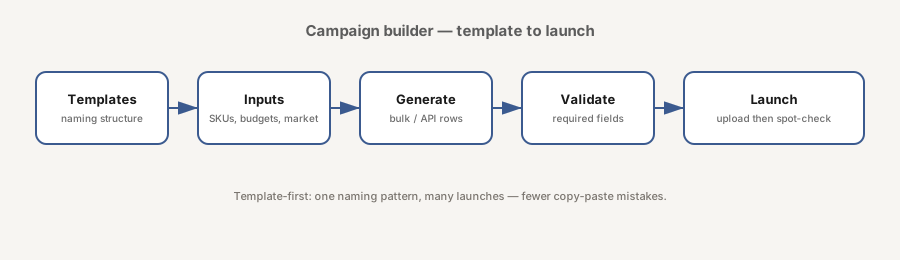
Reusable templates hold naming rules, campaign patterns and default settings. Launch inputs hold the details that change, including SKU or ASIN lists, budgets, markets and row overrides. The generator combines both sets, checks required fields and produces the Amazon bulk-upload spreadsheet.
Choose the structure
Select one or several campaigns and the required targeting type.
Add launch inputs
Enter campaign settings, paste SKUs and add keywords or product targets.
Generate the file
Apply the template, check the inputs and create the rows for bulk upload.
03 · Outcome
A bulk file ready for review
The builder produces a full campaign structure from one controlled set of inputs. The generated file gives me one place to inspect names, budgets, bids, placements and targeting before upload. I then spot-check a sample in Ads Manager after launch.
Templates keep campaign patterns consistent across products and markets. Input checks catch missing fields, duplicate keys and unsupported combinations during setup, before those values reach Amazon Ads.
One launch flow
The same interface handles single campaigns, campaign batches and three targeting modes.
Inspectable output
The bulk file exposes each generated row for review before the operator uploads it.